Building a Near-Zero-Cost Serverless Task Manager on AWS
Some projects are small enough to finish in a few days, but rich enough to teach almost every important cloud concept at once. This one was exactly that for me.
I built a serverless task manager on AWS with three goals in mind:
- keep the architecture fully serverless
- design it with security in mind from the start
- stay as close to near-zero cost as possible (Free-Tier friendly)
The result is a web application that supports task CRUD operations while also demonstrating how to combine CloudFront, S3, API Gateway, Lambda, DynamoDB, VPC Endpoints, CloudWatch, SNS, and AWS Budgets into one practical architecture.
What the project does
The app is a simple Task Manager that lets users:
- create a task
- view all tasks
- update task details or status
- delete tasks
The frontend is written in plain HTML, CSS, and JavaScript, while the backend is a Python-based AWS Lambda function connected to DynamoDB.
Even though the business logic is simple, it is a great vehicle for learning the full request flow of a cloud-native application.
Architecture overview
The system is divided into five main layers:
- Frontend layer:
CloudFront + S3 - API layer:
API Gateway + AWS Lambda - Data layer:
DynamoDB + Global Secondary Index - Network layer:
VPC + private subnets + DynamoDB Gateway VPC Endpoint - Observability and cost layer:
CloudWatch + SNS + AWS Budgets
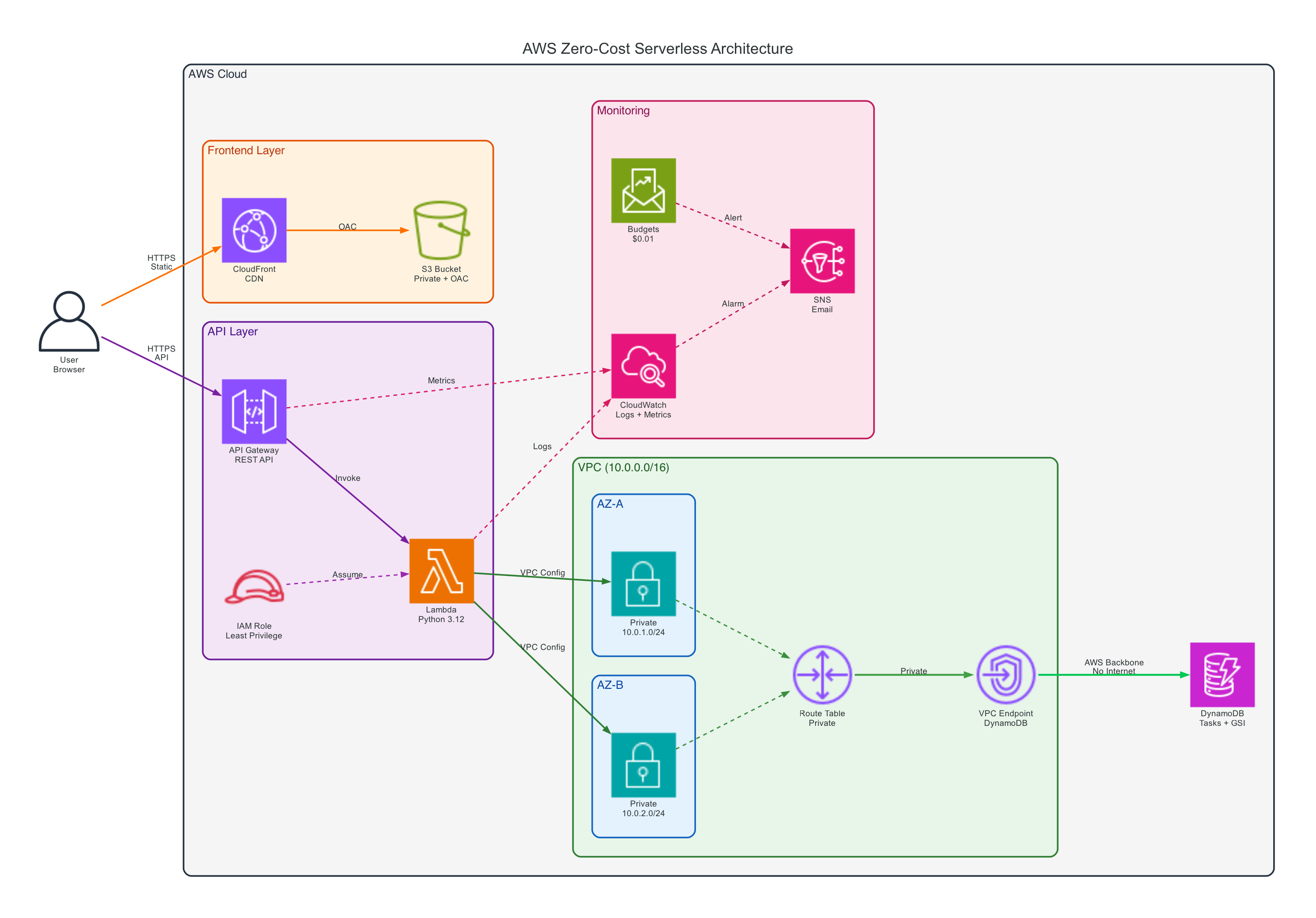
At a high level, the request flow looks like this:
- A user opens the website through CloudFront.
- CloudFront fetches static assets from S3 using Origin Access Control.
- The frontend sends API requests to API Gateway.
- API Gateway invokes a Lambda function for
GET,POST,PUT, andDELETEoperations. - Lambda reads and writes task data in DynamoDB.
- Logs and metrics are collected in CloudWatch, while SNS and AWS Budgets handle alerts.
This architecture stays compact, but still reflects real design concerns around security, scaling, and operational visibility.
Why I chose a serverless architecture
I picked serverless for three practical reasons.
1. The workload is event-driven
A task manager does not need a server running all day. Requests come in occasionally, and each request is short-lived. Lambda is a natural fit because compute only runs when needed.
2. It reduces operational overhead
With EC2 or self-managed containers, I would need to worry about patching, provisioning, scaling, and instance-level monitoring. With managed serverless services, AWS takes care of most of that undifferentiated heavy lifting.
3. It makes cost control easier
For learning projects and portfolio work, cost matters. Managed services with pay-per-use pricing are much easier to keep under control than always-on infrastructure.
How I built it
This is the step-by-step approach I followed while building the project.
Step 1. Host the frontend privately with S3 and CloudFront
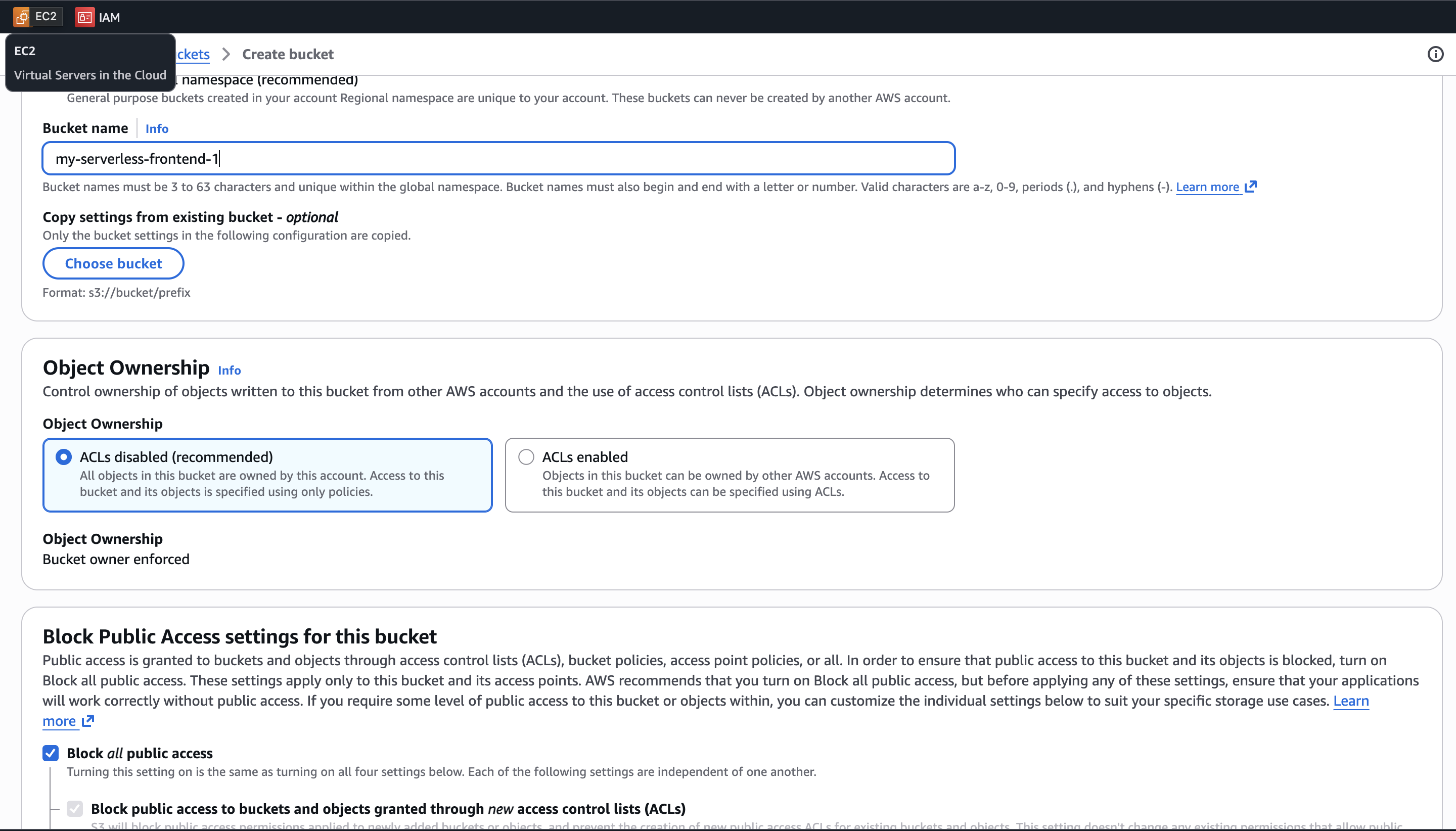
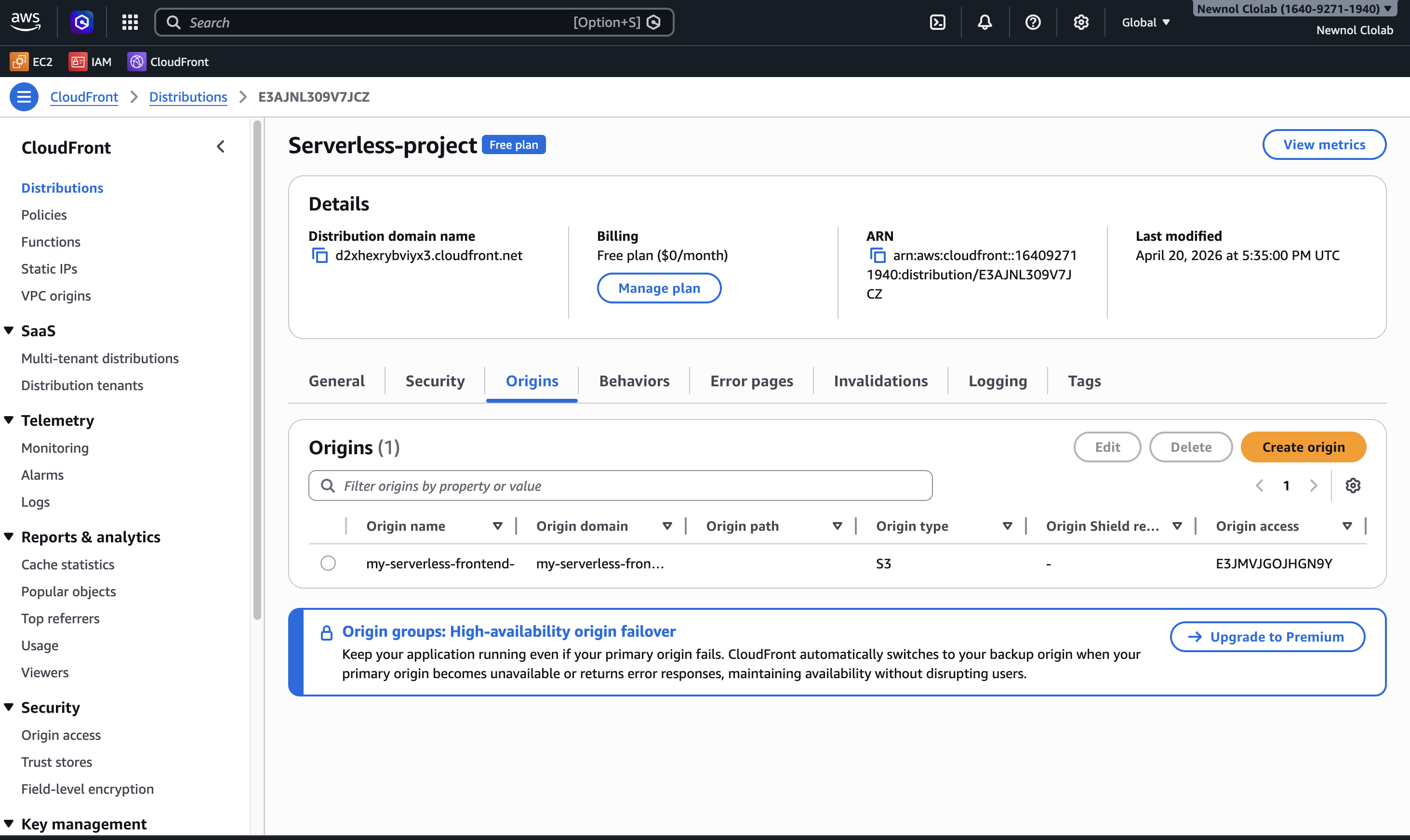
I used a private S3 bucket (with Block Public Access enabled) to store the static frontend files and placed CloudFront in front of it to distribute content securely.
The key decision here was not to expose the bucket publicly. Instead, I configured Origin Access Control (OAC) so only CloudFront can fetch objects from S3. The bucket policy only grants s3:GetObject to the CloudFront distribution's OAC identity.
That gave me three benefits:
- the bucket keeps Block Public Access fully enabled
- direct access to S3 objects is denied even if someone knows the URL
- users can still access the website normally through CloudFront with OAC policy
This was one of the first moments where the project shifted from "just make it work" to "make it work properly."
Step 2. Expose CRUD operations with API Gateway and Lambda
The backend is a single Python Lambda function that handles:
GET /tasksPOST /tasksPUT /tasks/{id}DELETE /tasks/{id}OPTIONSfor CORS preflight
The function:
- generates
taskIdwithuuid - stores timestamps in ISO format
- dynamically builds update expressions for editable task fields
- returns CORS headers so the frontend can call the API safely from the CloudFront domain
This setup is small, but it already demonstrates a real API pattern: static frontend, stateless compute, and managed persistence.
Step 3. Store task data in DynamoDB
I used DynamoDB as the primary data store. Each task includes fields such as:
taskIduserIdtitledescriptionprioritydueDatestatuscreatedAt
The main partition key is taskId, but I also needed to query all tasks belonging to a user. To support that access pattern, I added a Global Secondary Index on userId.
This was a good reminder that DynamoDB design is driven less by "what columns do I have?" and more by "how will I read this data?"
Step 4. Keep Lambda inside a VPC without using a NAT Gateway
This was probably the most important design choice in the entire project.
When Lambda is attached to a VPC and still needs to access DynamoDB, a common instinct is to add a NAT Gateway. But NAT Gateway has a fixed cost that can easily dominate a small student project.
So instead of using NAT, I:
- attached Lambda to private subnets in the VPC
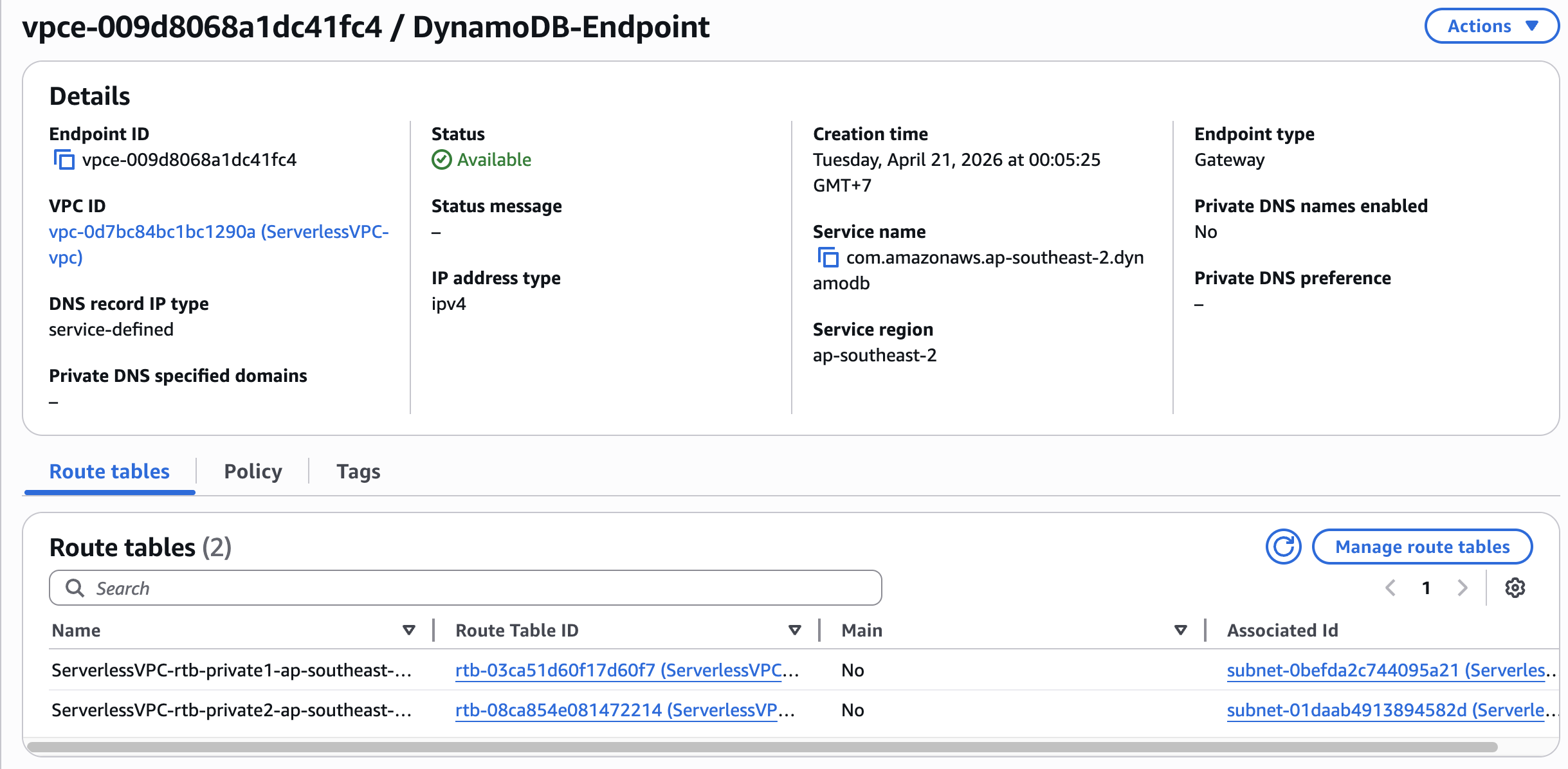
- created a DynamoDB Gateway VPC Endpoint (not an Interface Endpoint)
- added the endpoint to the private subnet route table with the DynamoDB prefix list as the destination
The route table entry looks like this conceptually:
Private Route Table → DynamoDB prefix list (destination) → Gateway VPC Endpoint (target)
This allowed Lambda to communicate with DynamoDB entirely through private AWS networking, without needing internet egress through NAT. Because DynamoDB is a regional managed service (it lives outside the VPC), the Gateway Endpoint acts as a route-table-level gateway that directs DynamoDB traffic over the AWS backbone network.
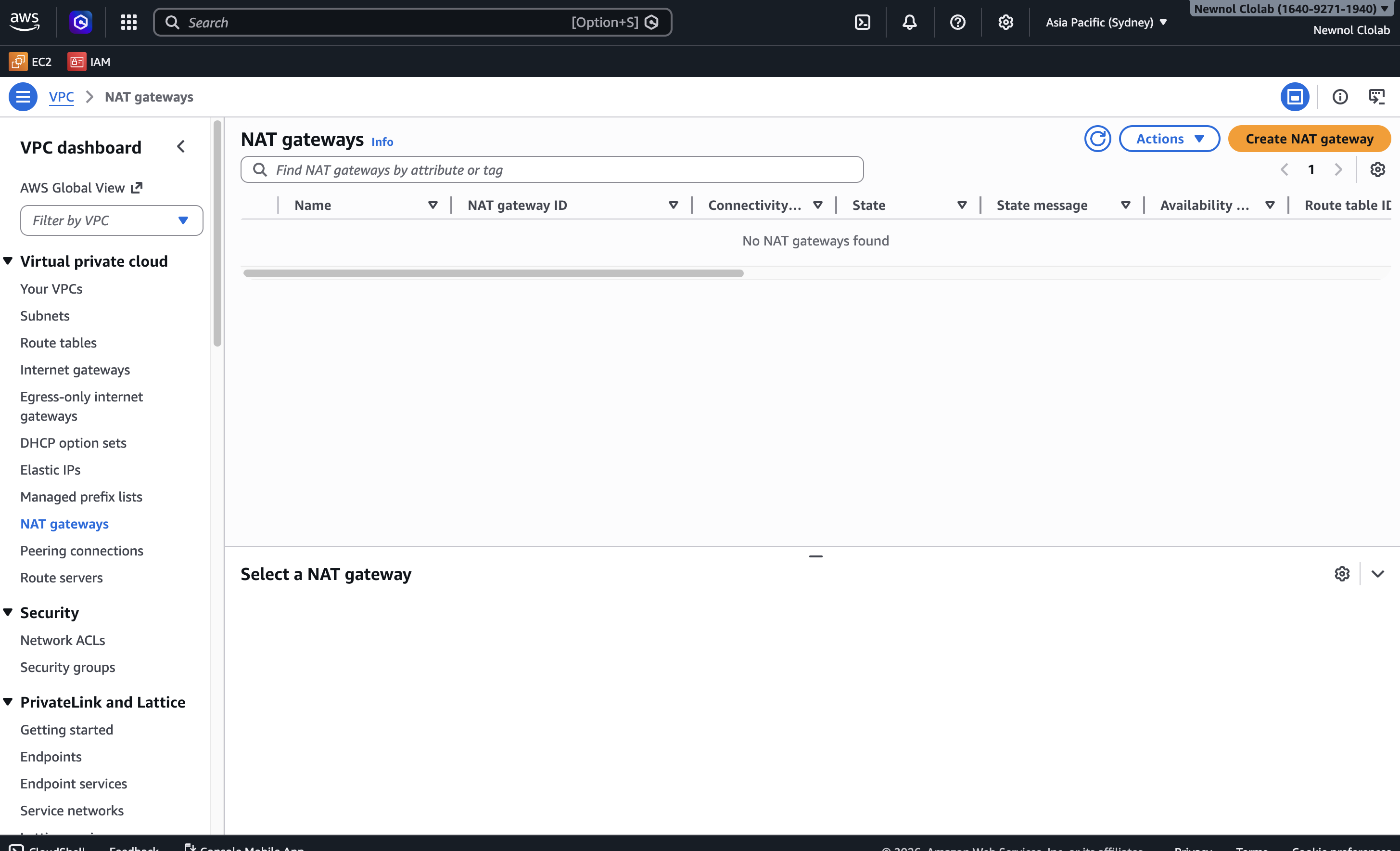
This one decision made a huge difference. It improved both security and cost efficiency at the same time — Gateway VPC Endpoints for DynamoDB have no additional charge.
Step 5. Apply IAM least privilege
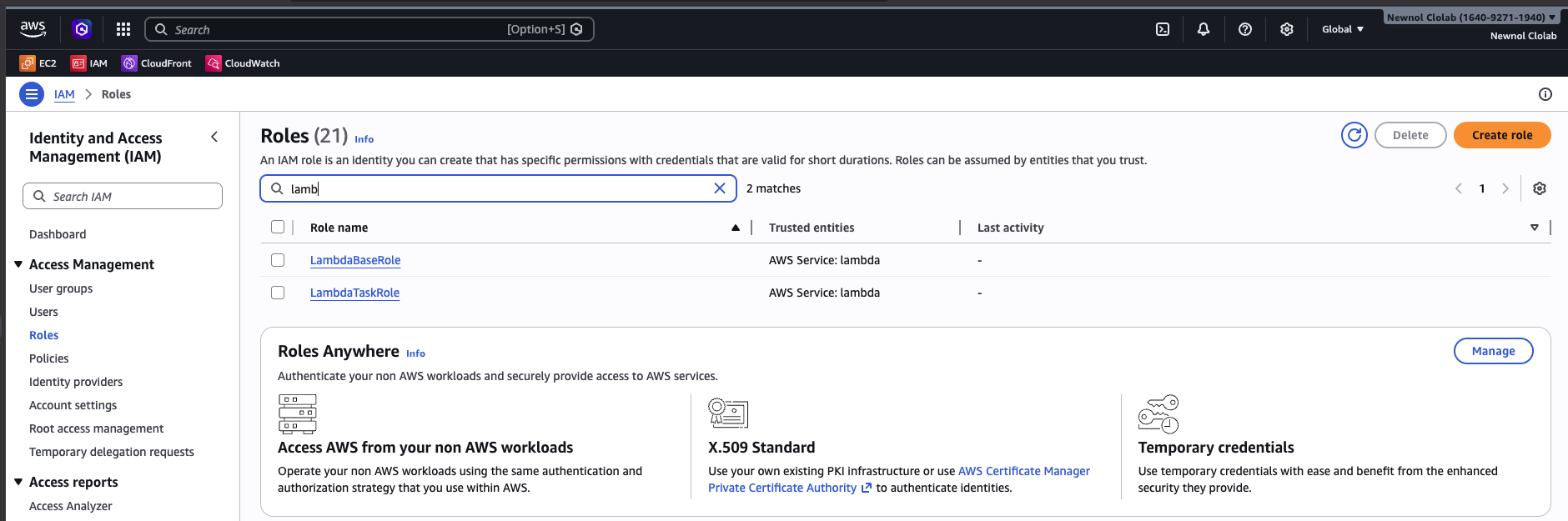
Instead of using one overly permissive role, I separated responsibilities with dedicated IAM roles and attached more specific policies where possible.
That means:
- Lambda only gets permissions related to the resources it actually uses
- access policies are scoped to concrete ARNs
- the architecture avoids the "just give it admin access so it works" trap
This may look like a small detail in a school project, but I think it is one of the best habits to build early.
Step 6. Add monitoring, alarms, and budget alerts
Once the app was working, I wanted to answer a few operational questions:
- Are requests succeeding?
- Is the Lambda function failing?
- Can I see usage trends over time?
- Will I notice quickly if the cost starts going up?
To answer those, I added:
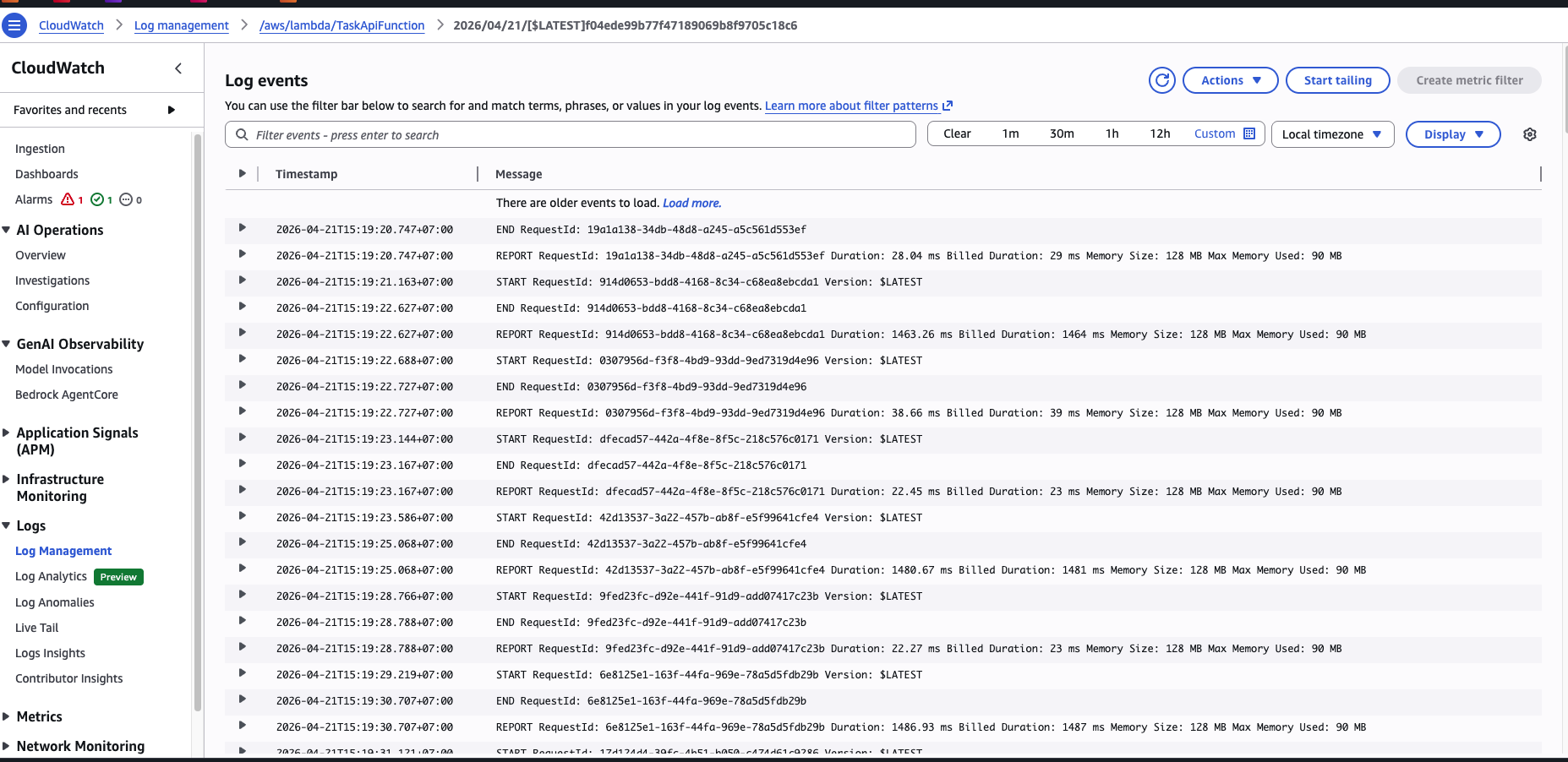
- a CloudWatch Dashboard combining API Gateway metrics and Lambda logs
- CloudWatch Alarms (e.g., Lambda error rate, API Gateway 5xx count)
- SNS Topic → Email notifications triggered by CloudWatch Alarms
- an AWS Budget → SNS/Email Alert for monthly spend threshold
The monitoring flow works like this:
API Gateway Metrics → CloudWatch Metrics(request count, latency, errors)Lambda Logs → CloudWatch Logs(function execution details)CloudWatch Alarm → SNS Topic → Email(operational alerts)AWS Budgets → SNS/Email Alert(cost threshold notifications)
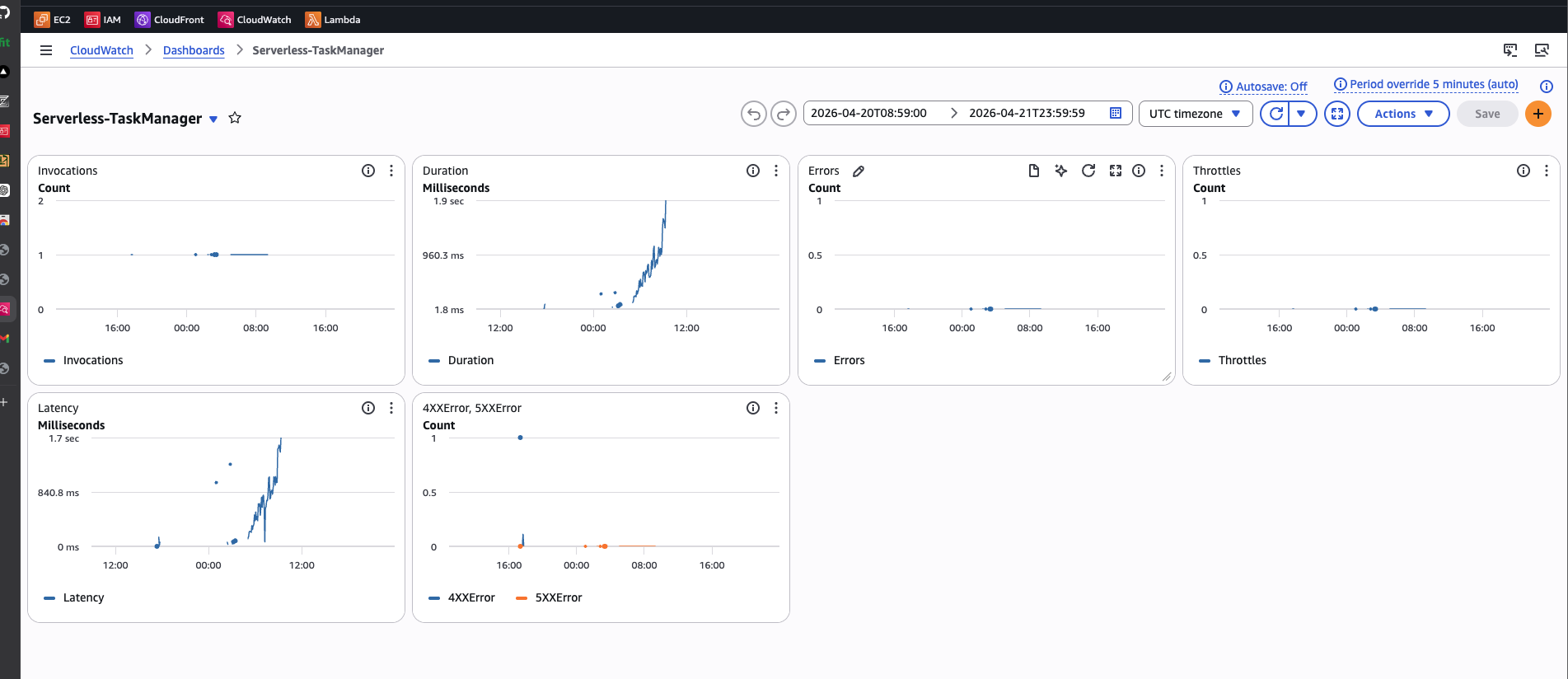
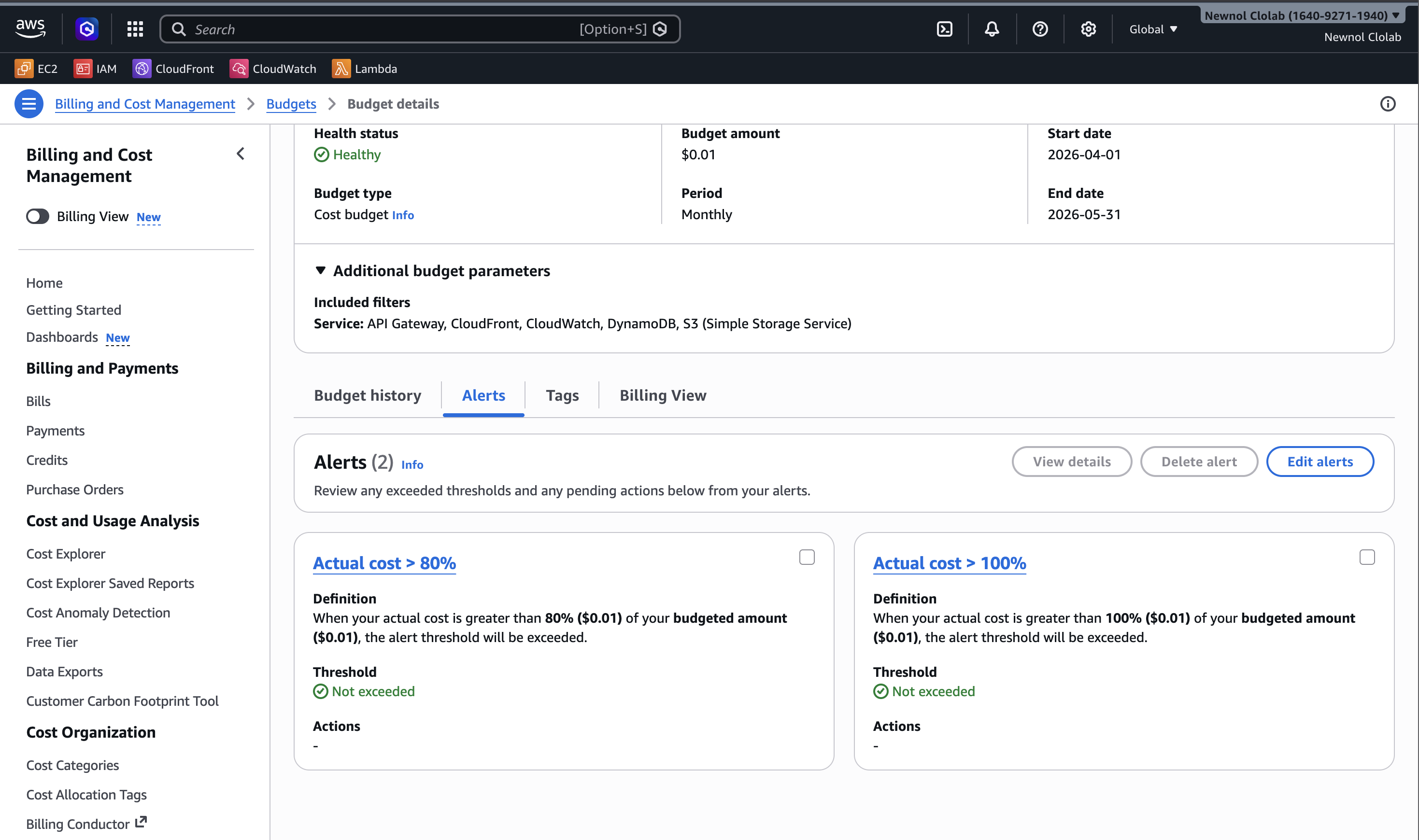
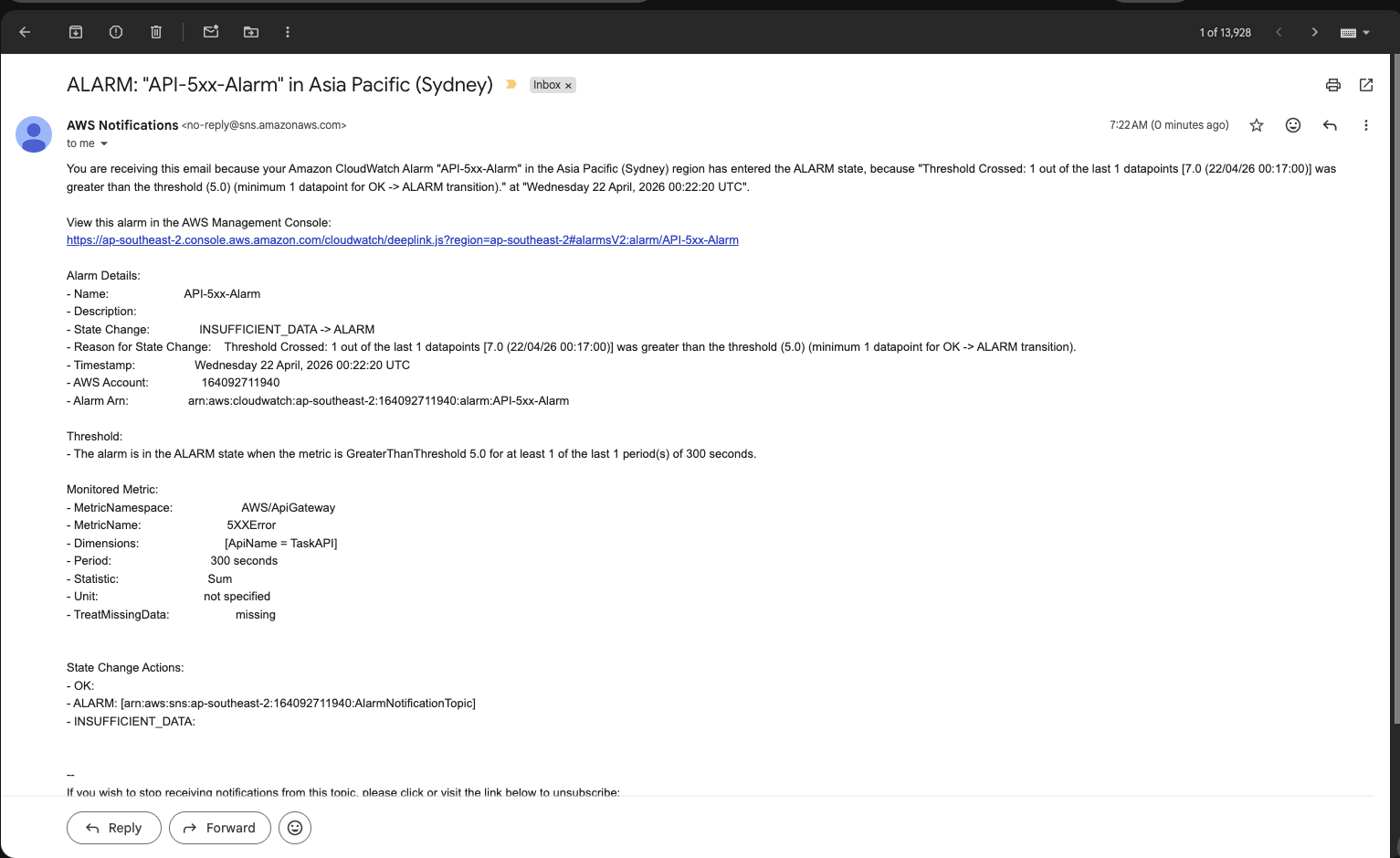
This turned the project from a working demo into something much closer to a real production mindset.
A quick look at the frontend and backend
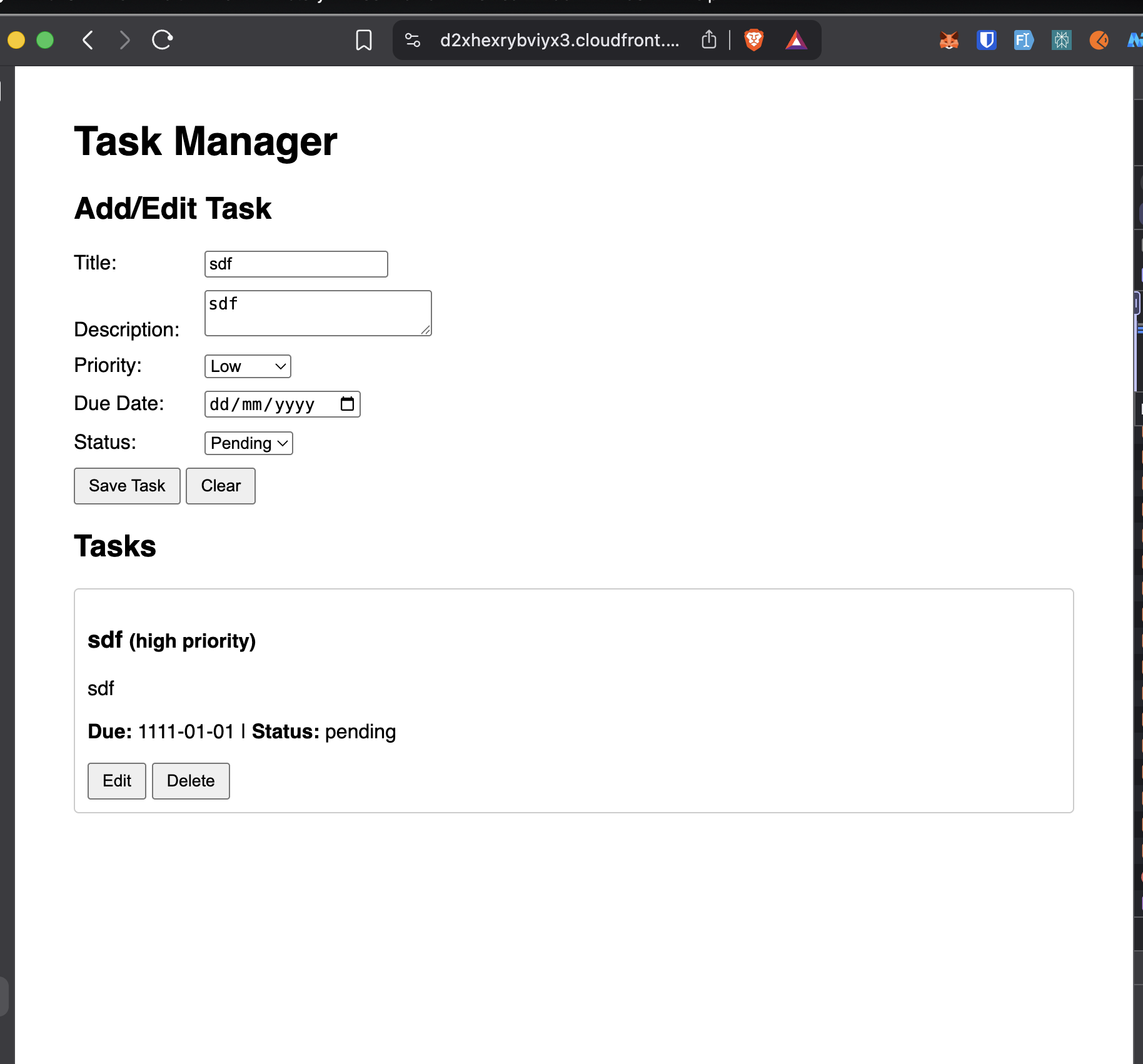
The frontend is intentionally simple. It focuses on usability rather than framework complexity:
- form inputs for title, description, priority, status, and due date
- task list rendering on page load
- edit and delete actions for each task
- basic client-side validation
- HTML escaping to reduce XSS risk in rendered content
The backend keeps the logic equally straightforward:
- receive API Gateway events
- route based on HTTP method and path
- read and write data in DynamoDB
- return structured JSON responses
- expose CORS headers for browser-based access
This simplicity was intentional. I wanted the cloud architecture to be the star of the project.
What keeps the cost near zero
The most useful lesson from this project is that cost optimization is often about architecture decisions, not micro-optimizations.
These choices mattered the most:
- using Lambda instead of an always-on server
- using DynamoDB on-demand billing
- hosting static files on S3 (private bucket with Block Public Access)
- serving the site through CloudFront
- replacing NAT Gateway with a DynamoDB Gateway VPC Endpoint (no additional charge)
- creating an AWS Budget to catch surprises early
The Gateway VPC Endpoint decision is the clearest example. One networking choice can save far more money than dozens of small code-level optimizations. Gateway Endpoints for DynamoDB and S3 are free, while a NAT Gateway would cost ~$32/month minimum.
What I learned from this project
This project taught me much more than how to connect AWS services together.
Security works best when designed in from the beginning
Private S3 access, OAC, least-privilege IAM, and private DynamoDB connectivity all became easier because they were part of the architecture from the start instead of afterthoughts.
Observability is not optional
Dashboards, logs, alarms, and budget alerts are not "bonus features." They are how you understand what your system is doing after deployment.
Serverless is powerful when the workload fits
For low-to-medium traffic, event-driven workloads with simple compute requirements, serverless can provide a strong mix of scalability, low maintenance, and cost efficiency.
DynamoDB forces you to think in access patterns
The GSI design reinforced an important NoSQL lesson: the way you query data should drive how you model it.
If I continue this project, I would improve
If I turn this into a more production-ready version, the next upgrades I want are:
- user authentication with Cognito or JWT-based auth
- splitting one Lambda into multiple smaller functions
- Infrastructure as Code with Terraform or AWS SAM
- CI/CD for deployment
- a custom domain for the frontend and API
- stronger integration testing
Final thoughts
What I like most about this project is not that it uses many AWS services. It is that each service supports a clear goal:
- S3 + CloudFront for secure frontend delivery
- API Gateway + Lambda for stateless backend logic
- DynamoDB for scalable storage
- DynamoDB Gateway VPC Endpoint for private, zero-cost connectivity
- CloudWatch + SNS + Budgets for visibility and control
In other words, the project is not just "serverless because AWS has cool services." It is serverless because that architecture fits the problem well.
If you are learning cloud and want a portfolio project that feels practical without becoming overwhelming, a system like this is a great place to start.
Project evidence
Here are a few more screenshots from the implementation and validation process.